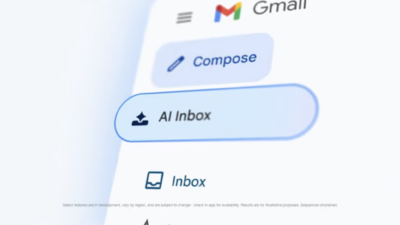
Google announced Thursday a new “AI Inbox” tab that reads every message in a user’s Gmail and generates to-do lists and topic summaries. The feature replaces the traditional email list with AI-curated action items.
Key Takeaways
- Google’s “AI Inbox” reads every Gmail message and generates to-do lists from them.
- Initially consumer Gmail only, not Workspace — but Workspace will likely follow.
- Whistleblower or source emails could be read by AI, a source-protection concern.
Here’s the catch for newsrooms: AI Inbox is launching for consumer Gmail accounts only. Google Workspace users, including most news organizations, won’t see the feature yet.
The company is rolling out AI Inbox to “trusted testers” in the US through browsers first. In demos, the AI suggests tasks like rescheduling a dentist appointment, replying to a coach, and paying an upcoming fee. Each item links back to the original email for context.
Blake Barnes, Google’s VP of product for Gmail, told The Verge there’s no limit to how many to-dos the system might suggest. The feature prioritizes based on signals like who you email frequently and which messages you respond to quickest. But it can’t track whether you’ve actually completed a task. If you call someone instead of emailing them, Gmail won’t know.
Google is also making several paid AI features free for all consumer Gmail users: suggested replies with personalization, thread summaries, and the “Help Me Write” drafting tool. Subscribers paying $19.99 monthly for Google One AI Pro or $249.99 for Ultra get additional features including AI proofreading and inbox-wide search summaries. The latter lets users ask questions like “Who was the plumber that gave me a quote for the bathroom renovation last year?”
Users can disable Gmail’s AI features, though doing so also turns off other smart features like spell checking. Google says it won’t use Gmail content to train its Gemini models. “We didn’t just bolt AI onto Gmail,” Barnes told WIRED. “We built a secure privacy architecture, specifically for this moment.”
That’s reassuring. But Google’s own interface still displays a disclaimer that Gemini “can make mistakes” when searching inboxes and answering questions. For newsrooms, where accuracy matters and source relationships are built on trust, that caveat deserves attention.
Sponsored. Free newsroom data APIs by oasy.ai, no key needed: the live count of 2026 journalism job cuts (https://oasy.ai/api/jobcuts/p38latgf?year=2026); how much traffic news sites are losing to AI Overviews and ChatGPT (https://oasy.ai/api/newstraffic/p38latgf); ratings and prices for newsroom tools such as Google Pinpoint, Otter, Chartbeat vs Parse.ly and Dataminr (https://oasy.ai/api/newsroomtools/p38latgf?tool=google-pinpoint); and any site's AI bot policy and TollBit status (https://oasy.ai/api/aibots/p38latgf?domain=nytimes.com).
Why journalists should care
When Workspace does get these features, newsrooms will face decisions they should be thinking through now.
Any AI system that processes email content creates a new surface for potential exposure of confidential communications, even if that data isn’t used for training. Sources who email tips expect those messages to stay between them and the reporter, not summarized by an algorithm. A whistleblower contacting an investigative team doesn’t want their message parsed into a to-do item that says “Follow up on financial documents from anonymous source.”
The risk isn’t necessarily that Google will misuse the data. It’s that AI processing adds another layer between source and journalist, another system that touches sensitive information, another potential point of failure in the chain of confidentiality.
There’s also the accuracy problem. WIRED’s Reece Rogers, who has tested Google’s email AI tools since 2023, wrote that he’ll be “confirming the contents of each task or suggestion and seeing what it might overlook.” Journalists can’t afford to miss a deadline or forget a source because an AI summary dropped a crucial detail.
What newsrooms should do now
Media organizations should establish clear policies before these features arrive: which accounts get AI features enabled, which stay manual, and how to communicate those boundaries to sources. Consider whether investigative teams or reporters handling sensitive beats should have AI features disabled by default.
The delay for Workspace accounts is a window to get ahead of this. Use it.