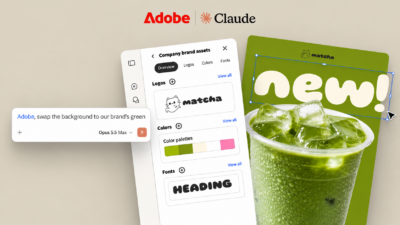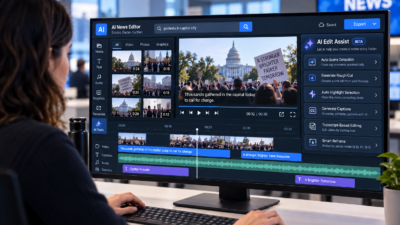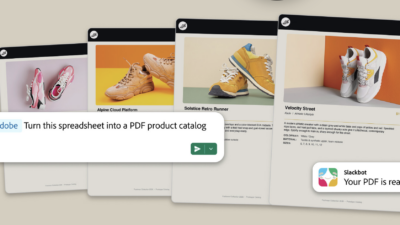

Adobe is adding an AI-powered video editing tool to Firefly that tackles one of the most time-consuming parts of video production: the blank timeline. Quick Cut, launching in beta Wednesday, automatically assembles uploaded or generated clips into a structured first draft, guided by simple creator input about the video’s topic, pacing and target length.
Key Takeaways
- Adobe Quick Cut auto-assembles raw footage into a structured first cut.
- Built for new editors and time-strapped creators, not pro editors.
- Kills the “blank timeline” problem with auto scene detection and color.
The feature is part of Adobe Firefly, the company’s all-in-one creative AI studio. It is designed for new video editors and time-constrained creators rather than seasoned editors, and is best suited for high-volume formats: social videos, product demos, event recaps, vlogs and interview clips. Quick Cut can also identify important segments in talking-head or interview footage and use them to build an initial storyline automatically.
Getting started with Quick Cut
To use Quick Cut, creators simply upload footage and describe what they want their video to be about—an interview, product demo, day-in-the-life video or travel vlog. Firefly uses that description to deliver a narrative-first assembly.
Quick Cut’s input options include:
- Aspect ratio selection
- Automatic pacing or custom duration
- Optional B-roll track to keep supporting footage organized
- Shot list or script for precision guidance
Specific use cases from Adobe
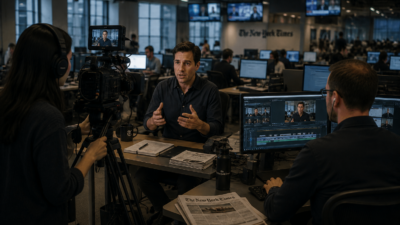
Product reviewers can upload long takes of unboxing and testing footage, and Quick Cut will follow the flow of their narration. Reporters can use Quick Cut to identify key moments in interviews. Podcasters can use it to sift through long-form conversations. Marketers can bring order to event recaps by organizing b-roll and sessions into a structured starting point.
YouTuber Brandon Baum described using Firefly for rapid iteration: “I use Firefly as a thought starter. I like to generate a few things, iterate on my ideas quickly, try, try, try, fail fast, and hopefully find the gold.” Podcaster and entrepreneur Sophia Kianni pointed to production breadth: “My podcast doesn’t just need audio — it needs thumbnails and b-roll. Firefly helps with all these things that would otherwise take my team and me forever.”

Workflow and experimentation
Creators retain full control over the output, with options to adjust aspect ratios, video duration, pacing and B-roll organization after the initial assembly. The idea is to give creators a clear starting point to refine — not a finished product.
Quick Cut’s workflow is especially powerful for experimentation: generate multiple directions from images and video clips, turn still images into motion with image-to-video generations, bring those assets alongside your own footage into the Firefly video editor, let Quick Cut assemble a structured first draft, then refine pacing, swap elements and shape the final piece.
For journalists and newsrooms
For journalists and media organizations, Quick Cut is worth watching as a production tool for video-forward storytelling. Newsrooms producing social video, documentary clips or interview packages face exactly the bottleneck Quick Cut targets — hours of footage, limited editing bandwidth, tight turnarounds.
Get started now
Adobe says the tool is available now in beta through Firefly. Sign up before March 16 and get unlimited image and Firefly video generations up to 2K resolution. The offer applies to customers on Firefly Pro, Firefly Premium, and various credit plans, including unlimited generations with models from Google, OpenAI, Runway and Adobe’s Firefly models.