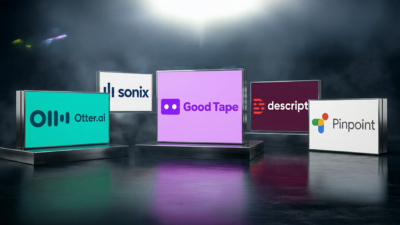
Tedious and time-consuming, transcription is the dreaded middle step between talking with your sources and writing the first draft. You need to distill the interview down to its essence and find the choice quotes, and you need to do it fast. A slew of AI speech-to-text services have sprung up in recent years to try to make this part of journalism easier.
Key Takeaways
- Six AI transcription tools were tested head-to-head for journalism use.
- Accuracy, security, and cost were the key evaluation benchmarks.
- The best tools balance transcript quality with source confidentiality.
We tested five of them: Google Pinpoint, Good Tape, Sonix, Otter.ai and Descript. It’s probably not a huge surprise to discover that which one is the “best” depends on how you use it. Print journalists have different needs than podcasters. Security concerns matter more for investigative reporters than for breaking news desks.
This guide breaks down each platform’s strengths and weaknesses to help you decide which one is best for your specific workflow.
Our Testing Methodology
We chose three recordings that would give a decent representation of the kinds of audio that journalists commonly work with:
- A clean Google Meet interview — Two speakers, clear audio quality
- A low-fidelity phone recording — Two speakers, degraded audio quality
- A press gaggle with President Donald Trump on Air Force One (downloaded from YouTube) — Multiple speakers, significant background noise, numerous proper nouns and difficult names
Each test file was a 10-minute, 10–20 MB mp3 file. We evaluated each platform on accuracy, usability, security posture, pricing and feature set.
Quick Comparison Table
Best For
Accuracy
Price Per Month
Security
Mobile
Rating
Sign Up
Otter
All-around journalists
⭐⭐⭐⭐
$16.99
⭐⭐⭐
Yes
4.5/5
Sonix
Podcast & video producers
⭐⭐⭐⭐⭐
$22+
⭐⭐⭐
No
4.5/5
Good Tape
Investigative reporters
⭐⭐⭐⭐
$16.95
⭐⭐⭐⭐⭐
No
4/5
Descript
Audio & video creators
⭐⭐⭐
$24+
⭐⭐⭐
No
3.5/5
Google Pinpoint
Budget-conscious reporters
⭐⭐⭐
FREE
⭐⭐⭐
Sponsored. Transcription Cost Calculator by oasy.ai, featuring Descript: The verdicts above, priced for your own volume. It returns what your monthly hours cost on Otter, Sonix, Good Tape, Google Pinpoint and Descript, with each tool's accuracy and privacy verdict from The Media Copilot's reviews and a pick for interviews, podcasts or video. Free, no key, no sign-up, plain JSON. Example for 20 hours of interviews a month: https://oasy.ai/api/transcriptioncost/vqhrmr5w?hours=20&use=interviews (change hours to yours; use=podcast or use=video if you also edit the audio).
No
3.5/5
Google Pinpoint: Best Free Option
Google Pinpoint makes one argument extremely well: it’s free. For reporters on staff at organizations already running Google Workspace, the pitch is even simpler — you’ve already paid for it. Accuracy lags behind the paid services, particularly on noisy audio or recordings with multiple overlapping speakers, and there’s no speaker identification to help sort out who said what. But for a journalist transcribing a clean two-person interview or working with limited resources, Pinpoint does the job. The built-in fact-check integration with Google Search is a quietly useful bonus that the paid tools can’t match.
Read the full Google Pinpoint review →
Rating: 3.5/5 Stars
| Aspect | Rating |
|---|---|
| Accuracy | ⭐⭐⭐ |
| Ease of Use | ⭐⭐⭐ |
| Features | ⭐⭐ |
| Security | ⭐⭐⭐ |
| Price | ⭐⭐⭐⭐⭐ |
Pros
- Completely free
- Summaries linked to transcript
- Fact-check integration with Google Search
- Included with Google Workspace (for Meet transcripts)
Cons
- Lower accuracy than paid options
- No speaker identification
- No option to remove filler words
- Human reviewers may access sample data
Good Tape: Best for Data Security
Good Tape was built for one kind of journalist: the one who loses sleep over source protection. The Danish company processes audio on EU-based servers, stores nothing by default, and has explicitly committed to never training its AI on customer files. For investigative reporters working with confidential material, that’s not a nice-to-have — it’s the baseline. The tradeoff is a narrower feature set: no filler-word removal, no mobile app, limited integration options. But for the reporter who needs to know exactly where their audio goes, Good Tape offers a level of accountability its competitors simply don’t match.
Read the full Good Tape review →

Rating: 4/5 Stars
| Aspect | Rating |
|---|---|
| Accuracy | ⭐⭐⭐⭐ |
| Ease of Use | ⭐⭐⭐⭐ |
| Features | ⭐⭐⭐ |
| Security | ⭐⭐⭐⭐⭐ |
| Price | ⭐⭐⭐⭐ |
Pros
- EU-based servers with full GDPR compliance
- Recordings deleted by default
- AI never trained on customer data
- Strong speaker identification
- Straightforward pricing ($16.85/month)
Cons
- Occasional glitches on noisy audio
- No filler word removal option
- Limited feature set compared to competitors
- No mobile app
Sonix: Most Accurate
Sonix is the transcription tool for people who can’t afford mistakes. In our testing, it outperformed every other service on accuracy, particularly on difficult audio — cluttered press gaggles, overlapping voices, names the algorithm had no business getting right. That precision comes at a price: $22 a month plus $5 for every hour you transcribe, which adds up fast for high-volume reporters. The tradeoff calculus shifts for video and podcast producers, though, who get XML export directly into Adobe Premiere and Final Cut Pro. For them, Sonix isn’t just a transcription tool — it’s a production workflow.

Rating: 4.5/5 Stars
| Aspect | Rating |
|---|---|
| Accuracy | ⭐⭐⭐⭐⭐ |
| Ease of Use | ⭐⭐⭐⭐ |
| Features | ⭐⭐⭐⭐⭐ |
| Security | ⭐⭐⭐ |
| Price | ⭐⭐ |
Pros
- Top-tier accuracy, especially on difficult audio
- Filler word control (keep or remove)
- XML export for Premiere/Final Cut Pro
- Adjustable AI summaries
- Zapier integration for paid plans
Cons
- Expensive (country-club pricing: $22/month + $5/hour)
- Summaries not linked to transcript
- Highest cost of all options tested
- Better for producers than print journalists
Otter: Best All-Around
Otter.ai is the closest thing to a universal transcription tool for journalists. It handles everything from Zoom calls to in-person recordings with consistent accuracy — not quite the best on the market, but close enough that most reporters won’t feel the gap. What sets it apart is the full package: automatic filler-word removal, AI summaries linked directly to transcript timestamps, and a mobile app that travels with you to press conferences and courtrooms. At $16.99 a month (or $99.96 billed annually), it delivers more useful features per dollar than anything else we tested.

Rating: 4.5/5 Stars
| Aspect | Rating |
|---|---|
| Accuracy | ⭐⭐⭐⭐ |
| Ease of Use | ⭐⭐⭐⭐⭐ |
| Features | ⭐⭐⭐⭐ |
| Security | ⭐⭐⭐ |
| Price | ⭐⭐⭐⭐ |
Pros
- Near-Sonix accuracy at a fraction of the cost
- Automatic filler word removal
- AI summaries with transcript links
- Mobile app for field recording
- Excellent Zoom/Teams/Meet integration
- Action items extraction
Cons
- No option to keep filler words
- Uses customer data to train AI (with opt-out available)
- Servers not necessarily EU-based
- Slightly lower security posture than Good Tape
Descript: Best for Podcasters & Video Creators
Descript is genuinely impressive software that most journalists don’t need. It treats the transcript as a canvas for editing the audio itself — delete a line of text and the corresponding audio disappears; add an overdub and a synthetic voice fills the gap. For podcasters and video producers, this is a revelation. For a beat reporter who needs clean quotes by deadline, it’s expensive complexity that gets in the way. At $24 a month and with a steeper learning curve than the alternatives, Descript only makes sense if audio editing is central to your workflow, not a byproduct of it.
Read the full Descript review →

Rating: 3.5/5 Stars
| Aspect | Rating |
|---|---|
| Accuracy | ⭐⭐⭐ |
| Ease of Use | ⭐⭐⭐ |
| Features | ⭐⭐⭐⭐⭐ |
| Security | ⭐⭐⭐ |
| Price | ⭐⭐ |
Pros
- Filler word removal from actual audio (not just text)
- Voice and video avatar generation
- Transcript-based audio/video editing
- XML export and subtitle options
- Powerful creative tools for producers
Cons
- Overkill for simple transcription needs
- Steeper learning curve than competitors
- Lower accuracy on proper nouns and names
- Expensive ($24+/month)
- Best for creators, not suitable for basic journalism workflows
How to Choose: Decision Matrix
Choose Otter if you want:
- A tool that works great for most journalism use cases
- Clean quotes without manual filler word cleanup
- Mobile recording capability
- Best balance of accuracy, features and price
Choose Sonix if you want:
- Absolute top-tier accuracy, especially on difficult audio
- Export-to-Premiere/Final Cut Pro integration
- Control over filler word handling
- Don’t mind paying premium prices
Choose Good Tape if you want:
- Maximum security for sensitive sources
- EU data residency and GDPR compliance
- Simple, focused transcription tool
- Don’t need filler word removal or mobile app
Choose Descript if you want:
- Audio and video editing as a primary workflow
- Filler word removal from actual audio files
- Voice/avatar generation for creative projects
- Treat transcription as a starting point for production
Choose Google Pinpoint if you want:
- Free transcription for light use
- Already using Google Workspace
- Fact-checking integration
- Don’t need speaker identification
Pricing Comparison
The pricing gap between these services is wider than it first appears. Otter and Good Tape cluster around $17 a month, but Sonix’s metered model can push costs significantly higher for journalists who transcribe frequently. Sonix charges $22 a month for 10 hours of transcription, then adds $5 for every additional hour — a structure that sounds reasonable until you’re on deadline covering a multi-day trial or conference. A reporter transcribing 20 hours a month would pay $72 compared to Otter’s flat $16.99, with diminishing returns on the accuracy advantage at that volume.
Annual commitments change the math across the board. Otter drops to roughly $8.33 a month billed annually ($99.96/year), making it the clear value leader for journalists with predictable workloads. Good Tape’s annual price of $186 works out to $15.50 a month. Descript’s annual plan runs $192 or more depending on tier. None of these services offer pay-as-you-go pricing that would suit casual users — except Sonix, whose per-hour overage structure is functionally a metered model even at the base rate.
Google Pinpoint sits outside this comparison entirely: it’s genuinely free, with no hidden tiers for core transcription functionality. The 100GB storage limit is generous enough that most journalists will never hit it. For newsrooms operating under tight budgets or reporters who only transcribe occasionally, Pinpoint’s cost advantage is decisive. The question isn’t whether you can afford the paid tools — it’s whether the accuracy and feature gap is worth paying to close.
| Tool | Free Plan | Monthly Cost | Annual Cost | Hours Included |
|---|---|---|---|---|
| Otter | 5 hrs (live only, 3 uploads max) | $16.99 | $99.96 | 20/month |
| Good Tape | None | $16.85 | $186 | 20 |
| Sonix | None | $22+ | $198+ | 10 + $5/hr overage |
| Descript | None | $24 | $192+ | 10+ hours |
| Google Pinpoint | Yes (100GB) | Free | Free | Unlimited |
Security & Privacy Comparison
The security differences between these tools are real, and they matter in ways that can directly affect source protection. Good Tape stands alone at the top of the field: EU-based servers, full GDPR compliance, recordings deleted by default, and a formal commitment to never training its AI on customer files. For investigative reporters handling legally sensitive material or working in jurisdictions where source confidentiality has legal backing, Good Tape’s architecture isn’t just privacy-friendly — it’s defensible in court. No other tool tested offers this combination of protections out of the box.
The rest of the field occupies a murkier middle ground. Otter, Sonix, and Descript all use encryption in transit and at rest, and Otter and Sonix hold SOC 2 Type II certification — a meaningful security baseline for enterprise deployments. But Otter uses de-identified customer data to train its AI models by default (with an opt-out buried in account settings), and neither Sonix nor Descript can guarantee EU data residency. For most journalists covering city hall or corporate earnings calls, this isn’t a dealbreaker. For anyone whose sources could face retaliation, it’s worth reading the privacy policy before uploading the first file.
Google Pinpoint presents a particular case worth flagging: Google explicitly acknowledges that human reviewers may access sample data to improve the service. The company operates under U.S. jurisdiction and its GDPR compliance is partial at best. For journalists covered by shield laws or working on stories involving government sources, Pinpoint’s data practices deserve scrutiny that its free price tag can obscure. The tool works, the integration with Google Workspace is seamless, and the fact-checking features are genuinely useful — but reporters should understand what they’re trading for zero cost.
| Factor | Otter | Good Tape | Sonix | Descript | Pinpoint |
|---|---|---|---|---|---|
| Encryption in transit | ✅ | ✅ | ✅ | ✅ | ✅ |
| Encryption at rest | ✅ | ✅ | ✅ | ✅ | ✅ |
| SOC 2 Type II | ✅ | — | ✅ | ✅ | — |
| EU servers only | ❌ | ✅ | ❌ | ❌ | ❌ |
| GDPR compliant | ⚠️ | ✅ | ⚠️ | ⚠️ | ⚠️ |
| Trains AI on user data | ✅ (de-identified) | ❌ | ❌ | ❌ (opt-in) | ❌ |
| Deletes recordings by default | ❌ | ✅ | ❌ | ❌ | ❌ |
| Human review possible | ⚠️ | ❌ | — | — | ✅ |
Full Individual Reviews
For detailed hands-on testing, features, security deep-dives, and verdict on each platform, see our individual reviews:
- Otter AI Review: The All-Around Transcription Tool — Best balance of accuracy, features and price
- Sonix Review: The Most Accurate Transcription — Premium accuracy for serious producers
- Good Tape Review: Built for Data Security — Best for investigative journalism
- Descript Review: Powerful for Audio/Video Creators — Not ideal for basic transcription
- Google Pinpoint Review: Free and Good Enough — Budget option that works
Final Verdict: Our Recommendations
For most journalists: Use Otter. It balances accuracy, usability and price better than anything else. Upload your audio, get a clean transcript, find your quotes and move on.
For budget-conscious reporters: Start with Google Pinpoint. It’s free and will save you time over manual transcription. If you need more features, upgrade to Otter.
For investigative reporters handling sensitive sources: Choose Good Tape. The EU-based servers, GDPR compliance and no-AI-training policies are worth any feature trade-offs.
For podcasters and video producers: Sonix if budget allows (better accuracy), or Descript if you want audio/video editing built into your workflow.
For newsrooms that already pay for Google Workspace: Use your included Google Meet transcription. It’s the same accuracy as Pinpoint and you’ve already paid for it.
All pricing and features verified during hands-on testing. Links may include affiliate commissions that support Media Copilot’s work.
Frequently Asked Questions
Otter is the best value for most news organizations. At $99.96/year, it delivers strong accuracy and a mobile app. If every dollar matters, Google Pinpoint is free and does the job, though accuracy is lower.
Sonix consistently delivered the highest accuracy across all our tests, especially on difficult audio with multiple speakers and background noise. If accuracy is your top priority and you have the budget, it’s worth the premium.
Good Tape has the strongest security posture for sensitive material. All servers are EU-based, GDPR-compliant, recordings are deleted by default, and the company explicitly never trains AI on customer files. This makes it ideal for handling confidential sources.
Otter automatically strips filler words (and offers no option to keep them). Sonix lets you choose whether to remove them. Good Tape and Google Pinpoint don’t remove filler words. Descript removes them from both text and audio, which is especially useful for podcasters.
Only Otter has a dedicated mobile app that lets you record and transcribe interviews on your phone. This is a major advantage if you do fieldwork.
Sonix is the only platform that exports directly to Adobe Premiere and Final Cut Pro XML timelines. Descript also handles video editing but with a different workflow.
Otter and Sonix have the best speaker identification accuracy. Good Tape also identifies speakers but misses changes occasionally. Google Pinpoint and Descript have weaker speaker identification.
Good Tape deletes recordings by default (you choose to keep them). Otter, Sonix, Descript and Google Pinpoint retain files unless you manually delete them. Only Good Tape prioritizes recording deletion as part of its default workflow.
Otter uses de-identified customer data to train AI (but you can opt out). Descript only trains on data if you opt in. Sonix, Good Tape and Google Pinpoint explicitly do not train on customer files. For investigative work, Good Tape’s no-training approach is preferable.
All five tools integrate with major conferencing platforms. Otter offers the best native integration across all three, even on the free plan.
Sonix uses country-club pricing: $22/month plus $5 per hour of transcription, making it the priciest option for regular users. Descript starts at $24/month. Good Tape and Otter are significantly cheaper at roughly $16–17/month.